Amazon is taking a new approach to publishing — a 21st century approach. With Kindle Scout, readers nominate which books are allowed to progress. Kindle Scout is reader-powered publishing for new, never-before-published books. It’s a place where readers help decide if a book gets published. Selected books will be published by Kindle Press and receive […]
5 Ways Email Marketing fits the Holidays
According to Streamsend, “consumers who shop in November spend 14% more than the average shopper in December.” Also, 40% of these shoppers “begin their holiday shopping before Halloween.” So the time is NOW to implement your Marketing Campaign! The holiday season isn’t the time to start thinking about your Holiday Marketing Plan. This should be […]
Amazon Kindle now has Pre-Orders for all publishers
Received this exciting news: Hello, We’re excited to announce that you can now make your new books available for pre-order in Kindle Stores worldwide. With a few quick and easy steps you can create a pre-order page up to 90 days in advance of your book’s release date–your pre-order product page will be created within […]
Tax Tips for Authors: When and How to fill out the 1099
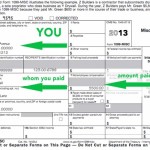
As a self-publishing author, you should consider your writing as a business. And in this way, there are protocols that you need to follow — namely taxes. (See Tax Tips for Authors: Are you a Business or a Hobby? ) When Form 1099-MISC must be filed The basic rule is if you promote your writing […]
Tax Tips for Authors: Filling out the Schedule C for Artists, Writers and Performers

Tax tips for writers and artists. The tax deadline is just around the corner, but don’t panic! Now is a good time to review your record-keeping, for good or ill.
Tax Tips for Authors: Are you a Business or a Hobby?
United States tax time is here. As a writer you are classified as self-employed. To take advantage of your deductions, here are a few tips to help you this year and in the future.
Kindle Formatting Solutions: Drop Cap HTML in eBooks

It is very easy to create drop caps for ebooks. first create the declaration, then enclosed the desired letter(s) in <span> tags: <span class=”dropcap”>T</span> Example of a letter drop caps on Kindle Previewer HTML <p><span class=”dropcap”>H</span>ow to create a drop cap for your ebook. Adjust the styling from within the CSS. </p> CSS span.dropcap { […]